Plan your VCF 9.1 deployment before you open the workbook
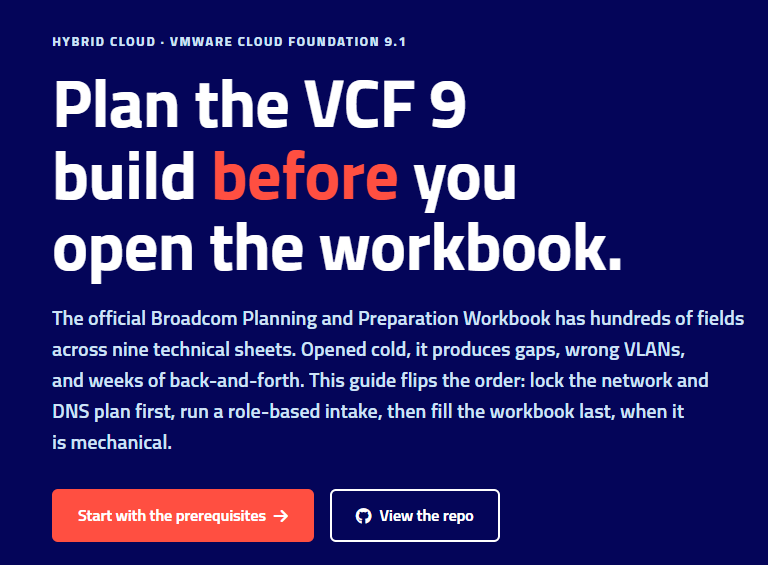
If you have ever prepared a VMware Cloud Foundation deployment, you know the moment: someone sends over the official Broadcom Planning and Preparation Workbook, an Excel file with nine deeply technical sheets and hundreds of fields. FQDNs, VLANs, CIDRs, BGP AS numbers, certificate templates, service accounts — all of it, in one flat spreadsheet, and most of the answers live with people who will never open it.
Filled in cold, that workbook produces the same result every time: gaps, wrong VLANs, missing DNS records, and weeks of back-and-forth before bring-up can even start.
So I flipped the order. The result is VCF9-DeploymentPlanning, a free and open field guide to the 9.1 workbook, published as a small site with a couple of interactive tools:
→ pauldiee.github.io/VCF9-DeploymentPlanning
The idea: workbook last, not first
Roughly 80% of workbook errors trace back to one layer: network, DNS, NTP, and Active Directory. So instead of starting in Excel, the guide runs in this order:
- Prerequisites gate. A checklist of everything the environment must already have — hardware on the VCG, VLANs, AD, DNS, NTP, a certificate authority, depot access, and the outbound public-URL allowlist: every online function in VCF 9.1 (depot, licensing, compatibility and vSAN HCL data, CEIP) talks to eight Broadcom/VMware URLs on outbound 443. The guide has them in one table, per source component — hand it to the firewall team as-is, or to whoever owns the egress proxy. Air-gapped? Then only the VCF Download Tool host needs that access. Blank CSV templates (IP/DNS plan, VLAN plan, NTP/AD/CA, BGP peering, firewall request) are on the site as downloads.
- One page, one meeting: the network / DNS / NTP / AD plan. Everything in the workbook flows from these decisions, and they all belong to the same two or three teams. This page includes a complete IP carve-out for the crowded VM Management subnet — every appliance, including the Day-2 components people forget (Operations for Networks, Log Management, real-time metrics, the Avi controllers) — and the full A+PTR record list. Lock this first and the rest becomes an administrative exercise.
- A role-based intake. The workbook asks questions in sheet order; people answer questions by ownership. The intake regroups every workbook question by who owns the answer — architect, network team, AD/DNS/NTP, PKI, platform, security, depot — so each team gets a short, focused list instead of a nine-sheet spreadsheet.
- Fill the workbook last — or skip the raw
.xlsxentirely. Every intake question is mapped to the exact workbook sheet and field label, so transferring the answers into the official spreadsheet is mechanical. If you would rather not fight Excel at all, run the intake into Leonardo Coscia’s VCF Planner instead — a browser-based reimplementation of the same 600+ fields across a five-phase form (Planning → Prerequisites → Sizing → Deploy → As-Built), with live sizing and VLAN/IP/CIDR conflict detection, entirely client-side. Either way, from there tools like Ken Gould’s VCF.JSONGenerator read the filled workbook and generate the deployment JSON for the VCF Installer.
The details that bite
The value of planning first is in the small print that otherwise surfaces mid-deployment. A few examples the guide encodes, each verified against the 9.1 TechDocs or the pinned workbook itself:
- The VM Management subnet is the crowded one. On top of the discrete appliance IPs it needs two dedicated contiguous blocks: a
/29for VCF Automation (exactly 3 node IPs + 2 buffer for automatic redeploy and rolling updates) and a/28–/27for the VCF services runtime. Take the/27: Day-2 Log Management (1 FQDN + 6 IPs, +2 per extra replica) and real-time metrics (6 more IPs) are allocated from that block, not from your subnet. - Lowercase FQDNs are a requirement, not a style choice. TechDocs marks the whole fleet-services family — VCF Automation, services runtime, fleet and instance components, Identity Broker, Log Management, real-time metrics — with “Do not use capital letters in the FQDN.” The practical rule: create every VCF FQDN lowercase.
- The services runtime has an internal CIDR (
198.18.0.0/15by default), and VCF Automation’s cluster CIDR uses the same default — make sure neither overlaps anything you actually route. - Names moved in 9.1. What you knew as VCF Operations for Logs is now simply Log Management — the guide uses the 9.1 names throughout.
The interactive tools
Two parts of the guide are more than documentation:
- Management-domain sizing calculator. The workbook’s sizing sheet only works one direction: feed it a fleet, get a minimum host count. In practice the question is the opposite — “we’re proposing four hosts with 64 cores and 1 TB each, does that fit?” The calculator answers both, including an N-1 fit check, and runs entirely in the browser. No data leaves the page.
- Deployment-plan export tool. An agile work breakdown of the whole deployment (epics → stories → tasks, with owners and acceptance criteria). Pick your scope — stretched management domain or not, Day-2 fleet components, workload domains, storage type, Supervisor — and export the matching backlog as Markdown or a CSV that imports straight into Jira, Azure DevOps, or GitLab.
There is also a curated firewall-flows page (the cross-zone flows that block a deployment when missed, grouped the way a firewall team thinks — now including the outbound public-URL flows), a multi-AZ prep layer for stretched clusters, and the full intake-to-workbook cell mapping.
Generic by design
Everything on the site is written as general guidance for whoever is planning the deployment — there is nothing consultancy-specific about the flow, and no data ever leaves your browser. The repo is public (github.com/pauldiee/VCF9-DeploymentPlanning), the docs render both on GitHub and on the site from the same markdown, and every page has a Feedback button that opens a pre-filled GitHub issue — several of the carve-out and naming fixes above started life as exactly such feedback.
If it saves you one of those forgotten details that otherwise gets arranged on the spot mid-deployment — and one trip back to another team to get an answer that stalls bring-up while you wait — it has done its job. Feedback very welcome.