
The VCF 9.1 build guides for the steps no wizard runs
The VMware Cloud Foundation 9.1 Installer does a lot for you. The Planning & Preparation workbook asks for the rest. Between those two, though, sits a band of work that neither one covers: infrastructure you have to build before bring-up, Day-N components that deploy from their own wizards, and manual configuration steps that nothing in the fleet tooling ever prompts for. Miss one and you find out in the middle of a deployment week.
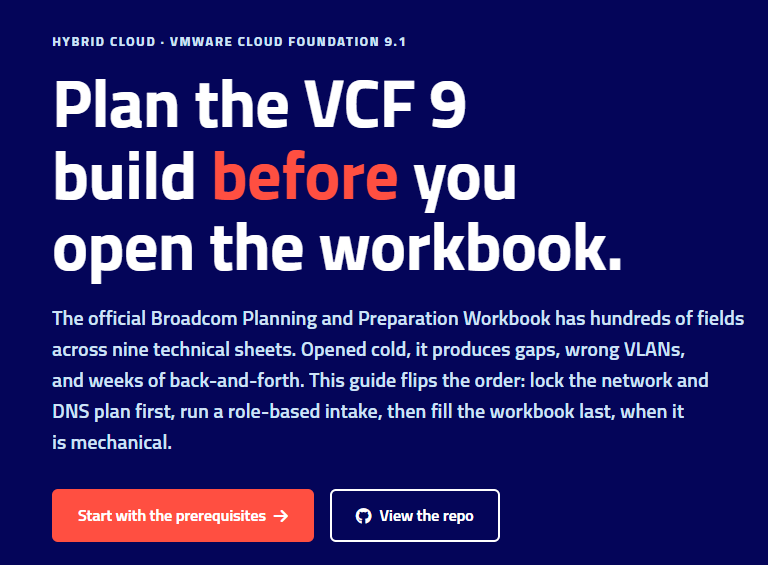
While maintaining the VCF9-DeploymentPlanning guide I ended up writing a build guide for each of these, one per component, each ending in the field notes — the failure signatures and gotchas that cost redo time. This post is the map of that set.
→ vcf-planning.hollebollevsan.nl
Infrastructure the platform depends on but does not build
Three pieces have to exist before the Installer wizard is any use:
- The SFTP backup target. Every VCF 9.1 management component backs up to it, and FIPS is the 9.x baseline — so the guide covers a chrooted OpenSSH build (Linux and Windows Server variants), a ten-minute test that forces the FIPS negotiation before you touch the wizard, and why a failed submit stores nothing at all. The SSP Installer is the odd one out here: it authenticates by key, not by the password in its own dialog.
- The binary depot and the VCF Download Tool. Online, offline/air-gapped, or manual transfer — plus the trap that the depot is VCF-component scoped, so the SSP Installer and License Hub packages (~9.5 GB) are downloaded by hand and never pass through it. Start the activation-code request early; the Product Administrator role takes days.
- The deployment-critical firewall flows. Not the full 1,000-plus-entry matrix — that lives in the vendor tools — but the curated cross-zone set that blocks bring-up if it is missed, grouped the way a firewall team thinks, with a CSV request template to hand them.
The steps no wizard runs
The ESX Dump Collector is the cleanest example: not part of any Installer wizard, not asked by the workbook, same category as NTP or DNS but easy to miss because nothing prompts for it. Enable the service on vCenter (it ships with every VCSA but is not started by default), then point every host at it. There is a PowerCLI helper in the repo for the second half.
Day-N components, each with its own wizard
- vSphere Supervisor enablement — per workload domain, not reversible cheaply, and the word centralized means two different things in the 9.x docs. Decide the networking shape first; the wrong one has no wizard in 9.1.
- Avi Load Balancer — controllers always run in the management domain, Service Engines run per cluster, and a controller set is scoped to the NSX instance rather than the workload domain. It’s the load balancer in front of vSphere Supervisor, and optionally in front of VCF Automation for customer-/tenant-facing access too. The most commonly missed step is the Service Engine content library, which VCF Operations does not create for you.
- License Hub — not the License Server, and both exist in a fleet running Avi. 2.0 is now a standalone OVA with no SSP Installer dependency; the download moved under Avi Load Balancer in the portal.
- vDefend Security Services Platform — three separate things all called “SSP.” The plain Distributed Firewall and IDS/IPS do not need it; Security Intelligence, NDR, NTA and Malware Prevention do.
- VCF Automation tenant config — what you do after the appliance is up: a region, an external IP block, external connections, an organization. Order matters, and the region name is immutable.
Fleet-wide configuration and runbooks
- Fleet SSO via the VCF Identity Broker. The broker deploys at bring-up — nothing to install — so this is Day-2 configuration: wire the identity provider, join each product, map roles. Navigation is verified against a real 9.1.0.0200 lab.
- The shutdown / startup runbook. An ordered procedure, not a set of power operations. Your order is a function of what you deployed — decide the fleet at planning time and the runbook writes itself; discover it during a power-maintenance window and you are reading TechDocs at 02:00.
- Removing a Day-N component to redeploy it fresh, via Broadcom’s
cleanup_component.py. There is no UI workflow for this yet; the script is the only supported path.
Why they live in a planning repo
Because every one of these is a decision you make at planning time whether you mean to or not. The guides are sourced against Broadcom TechDocs and KBs, marked where a statement is field-reported rather than documented, and cross-linked back to the workbook cell or deployment-plan story they belong to. If something has drifted since I wrote it, tell me.